
Adapting Business Processes for ZATCA e-Invoicing Phase 2 Compliance
Updated On : Feb 08th, 2024 | 23 min read

In December 2021, the Zakat, Tax, and Customs Authority (ZATCA) of the Kingdom of Saudi Arabia (KSA) implemented phase 1 of its e-invoicing system. The next stage, phase 2, is being rolled out in waves. From January 1, 2023, the first group of taxpayers whose turnover exceeded SAR 3 billion in 2021 must comply with the system. Meanwhile, the second group, consisting of businesses in KSA with a turnover of more than SAR 500 million and less than SAR 3 billion, must integrate their ERP/POS with ZATCA’s Fatoora portal starting July 1, 2023. However, non-residents for VAT purposes are not part of the initiative.
To comply with the ZATCA e-invoicing phase 2 requirements, Saudi Arabian businesses need to make specific changes to their existing processes. This article aims to guide the necessary adjustments. Ideally, taxpayers should make minimal changes to their existing business processes to implement e-invoicing. Here are the changes required to comply with e-invoicing regulations:
Phase 1 e-Invoicing process
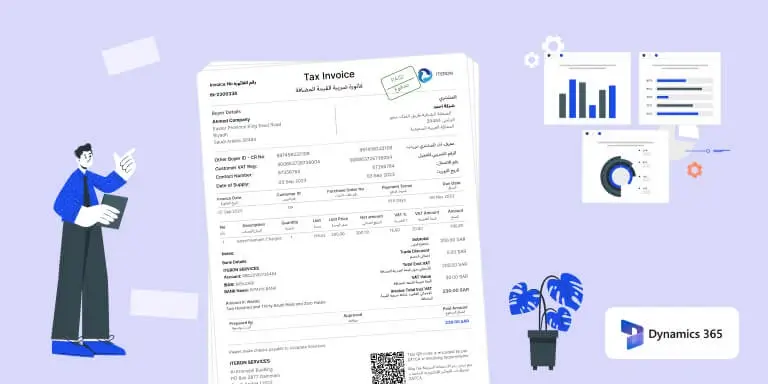
Minor changes are required to the invoice data capturing process to convert regular invoices into e-Invoices as per the ZATCA requirements, but businesses can continue with their existing invoicing process. Key fields are:
- Invoice no. (continuous and unique id)
- Invoice type (tax or simplified or credit or debit notes)
- Document currency (currency in which the invoices are transacted)
- Tax currency (SAR)
- QR code created with seller name, seller VAT number, invoice date in UTC format, invoice total with VAT, VAT number, and all this converted to base64
- Seller CR number
- Seller VAT number
- Seller address in Saudi format and valid address
- Buyer name
- Buyer CR number
- Buyer VAT number
- Each line item must have a total line amount, charges, discounts, VAT amount, and amount including VAT.
- Phase 1 is quite simple, and businesses can easily create the invoice in the compliance format, even in Excel or a Word document, and use a QR Code generator and paste the image. However, phase 2 cannot be managed without a software integrator with ZATCA.
Phase 2 e-Invoicing process
- Fatoora registration: Register your company and get the OTP. Be ready without the VAT number and CR number before registration. For testing purposes, only register in the Simulation instance provided in Fatoora.
- Device registration: Devices should be added and registered with ZATCA as per the business structure to ensure seamless functioning. If you are using multiple companies or systems, each should be registered as a device.
- CSID Generation: Generate your certificates and private and public key. This needs technical assistance and cannot be done with software development knowledge.
- ZATCA XML generation: ZATCA has provided an XML format in which data should be exchanged with ZATCA servers. It includes additional information like digital signatures, previous hash, security certificates, invoice hashing, etc.
- Invoice fields: It should be mapped with the UBL 2.1 schema, and any missing fields should be added to comply with ZATCA requirements, even though businesses may currently have their invoice format.
- Invoice transmission to ZATCA: There are multiple ways to send the compliant XML to ZATCA. You could use SDKs provided by ZATCA or Web Services.
- PDF generation: There is a common misconception that PDFs should be sent in phase 2. However, there is no need to send PDFs to ZATCA. ZATCA only accepts XML for phase 2 and returns the XML with a signature and QR code. After receiving XML approval from ZATCA, businesses can continue to send their PDFs to their customers.
- Invoice transmission time: Tax invoices should be sent to ZATCA in real time. This means that as soon as an invoice is generated, it should be validated and approved by ZATCA. Simplified invoices must be sent within 24 hours from the invoice to the customer/consumer.
- Invoice sharing with customers: Based on the e-invoice issued, businesses may need to upgrade their invoice-sharing process. For B2B transactions, businesses must share a soft copy of a valid standard tax e-invoice in PDF/A-3 format. For B2C transactions, a physical copy of the simplified tax e-invoice with a valid QR code must be shared.
- Archival of invoice data: The archival facility should be implemented to store invoices for at least 6 years, as specified by ZATCA, for any audit or reconciliation requirements.
Businesses need to comply with these requirements to avoid penalties or legal action. Accqrate e-invoicing solution can be used to generate e-invoices compliant with ZATCA phase 2 in just two clicks. Phase 2 can be a complex procedure, but Accqrate e-invoicing middleware simplifies the process, allowing businesses to concentrate on their core operations without any worries.

cta.title1
cta.description1cta.description2 cta.badge2cta.badge3
Recent Blog Posts from Accqrate
Integrating Credit Notes with ZATCA: A Comprehensive Guide

Integration of Debit Memos with ZATCA: An In-Depth Overview
Understanding ZATCA E-Invoicing Phase 2 Waves in Saudi Arabia